




Withdrawing funds from your XTB account via our online system is quick and simple.
To withdraw funds, simply log in to xStation or your Client Office, and click on the Withdraw tab.
Through xStation, you can manage your withdrawals efficiently, especially if you have multiple trading accounts with varying sizes of funds.
How to withdraw funds from your XTB trading account
If you would like to withdraw funds from your trading account, log in to xStation or your Client Office.

Source: xStation
Once logged in, click on the ‘Withdraw’ tab, after which you will see a page similar to the one below. Select the trading account you would like to withdraw funds from, as well as information about your recent withdrawals.
After choosing the account that you would like to withdraw funds from, you should choose the amount you would like to withdraw and click on the ‘Withdraw’ button to process the withdrawal.

Source: xStation
After doing so, a new window will open where you can choose the account that you would like to withdraw your funds to. When you have chosen the account number and checked that the withdrawal amount is also correct, please click on the green ‘OK’ button. Your withdrawal will now be processed by our systems and you will receive a confirmation window as seen below.
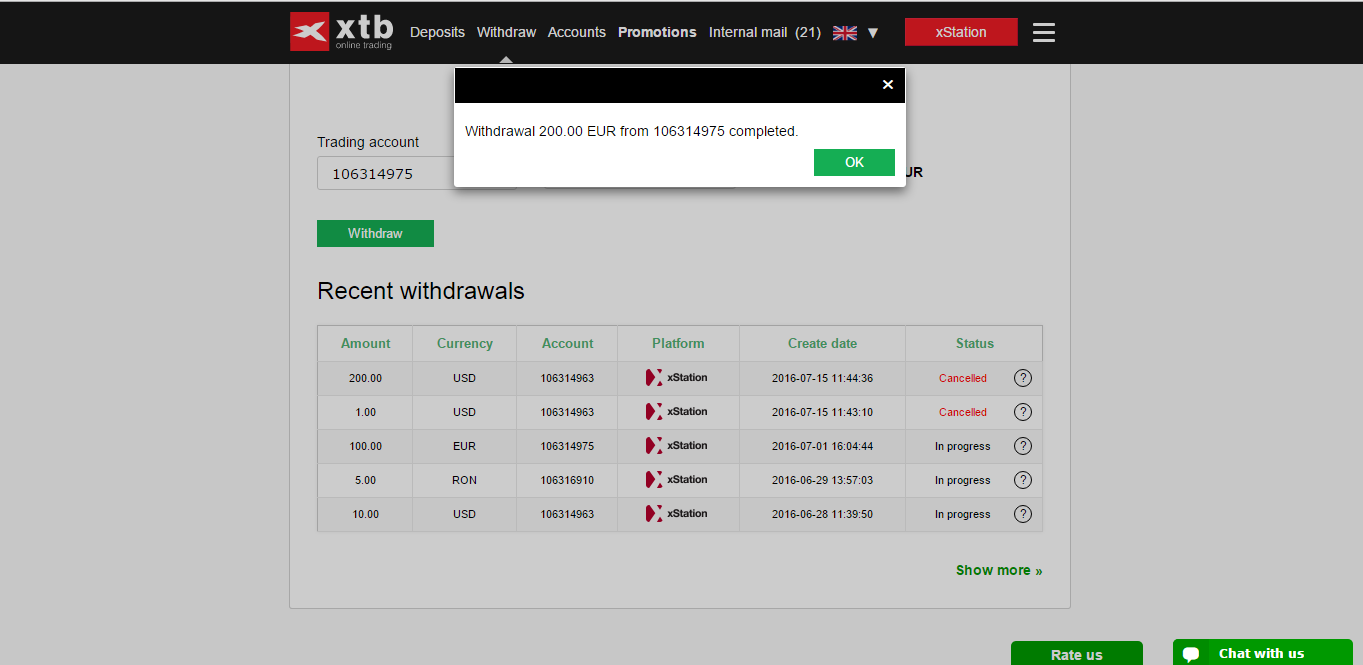
Source: xStation